When the internet goes down at lunch rush: how an offline-capable restaurant POS works
By Alex · Founder, MakanCloud · 26 October 2026
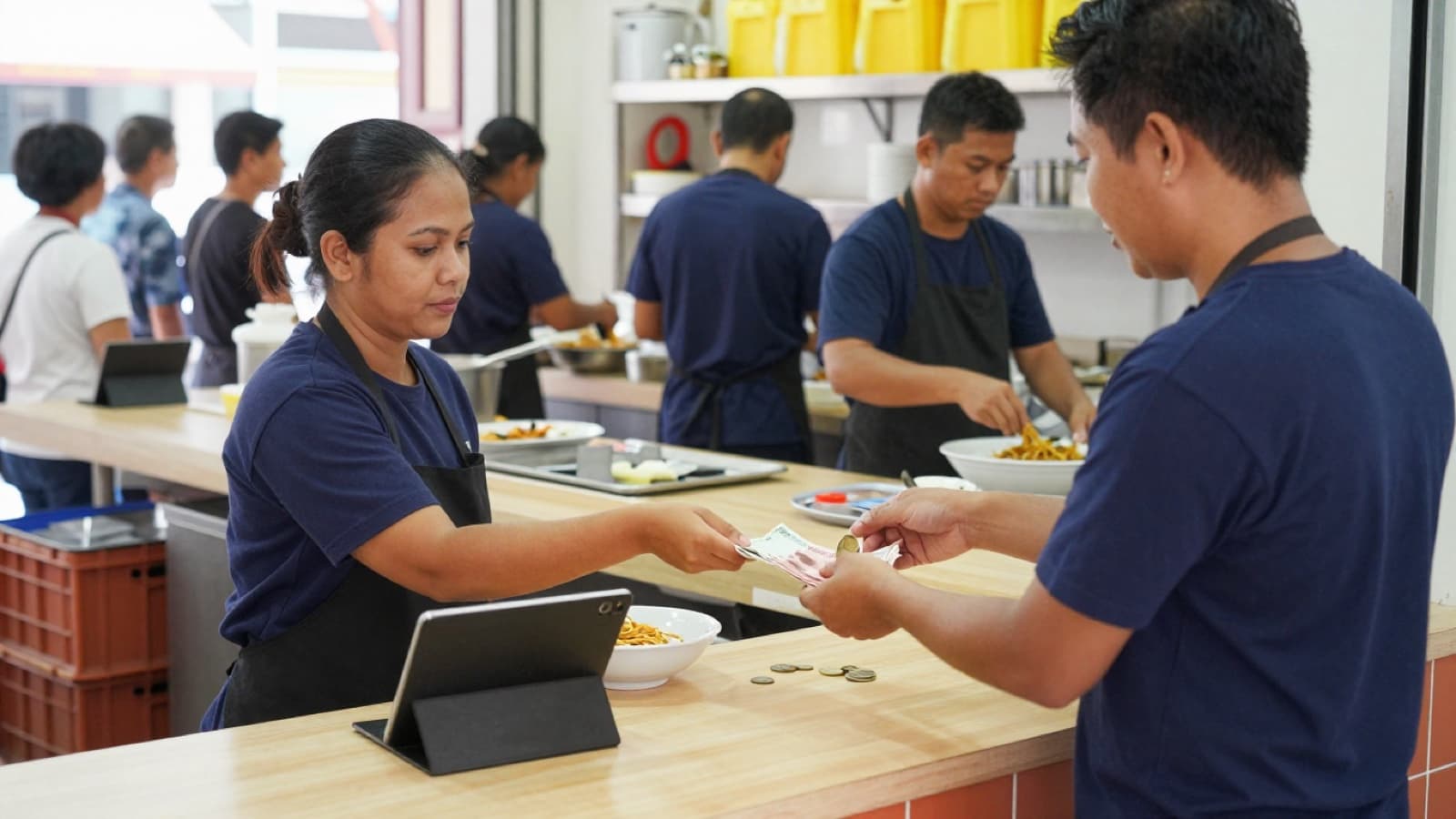
When the internet drops in the middle of lunch, a POS with an offline mode keeps taking orders and cash, stores them on the device, and sends them to the server once the connection is back. What usually stops is everything that needs another party online at the same moment: PayNow confirmation, an integrated card reader, and often kitchen printing. The real question is not "does it have offline mode" but "which parts of my service keep working, and what do my staff do about the rest".
That matters more in Singapore than the vendor brochures suggest. Basement units in malls, food court stalls sharing one building network, a fibre box that someone unplugged while mopping, a router that hangs every few weeks: outlets lose connection for a few minutes far more often than owners expect. Most of the time nobody notices. At 12:30 pm with a queue out the door, everybody notices.
This guide covers what an offline-capable POS actually does, what it usually cannot do, and a short plan to put in place before the next outage, so your cashier is not making it up while customers wait.
What "offline mode" really means
Cloud POS systems keep the menu, orders and reports on a server. Offline mode is the part that lets the till work without that server for a while. In practice it comes down to three things:
- The till still opens and shows the menu. The app and the menu are already stored on the device, so cashiers can keep tapping dishes into a cart.
- New sales are saved locally. Each order and payment is written to the device and placed in a queue.
- The queue is sent when the line comes back. The POS replays the queued sales to the server in order, and the reports catch up.
The detail that separates a good offline mode from a risky one is the last step. If the connection flickers on and off, the same sale can be sent twice. A well-built POS gives every queued sale its own key, so the server recognises a repeat and does not record the sale twice. Ask any vendor how they prevent duplicate orders after a reconnect. If the answer is vague, assume they do not.
What usually stops working
Some things cannot work offline, whatever the vendor says, because they depend on someone else being online at the same moment:
- PayNow. The customer's bank may send the money, but the till cannot confirm it arrived. Do not accept "I've paid, here's my screenshot" as proof during an outage; screenshots are easy to reuse.
- Integrated card readers. A card terminal that takes its amount from the POS and reports back to it needs the connection. A standalone terminal that runs on its own data line may still work, and the cashier records the card sale by hand.
- Kitchen printing and kitchen screens. In many cloud systems, tickets travel from the till to the kitchen through the server. No connection, no ticket.
- Adding to an open bill. Tables that ordered before the outage live on the server. Changing those bills usually has to wait.
- QR self-ordering. Customers order on their own phones, so their orders still reach the server, but your outlet's screens cannot see them until the outlet is back online. If you use QR ordering, our QR ordering cost and setup guide covers how it fits into service.
None of this is a reason to avoid a cloud POS. It is a reason to know the list in advance and decide what staff do for each item.
Before the next outage: a five-point plan
1. Find out how your outlet loses connection
Ask the outlet manager when the internet last dropped and how long it lasted. Check where the router sits and who can reach it. A router behind the dry store door, on the same power strip as the kettle, is a common culprit. Label the router plug and the fibre box so nobody switches them off by accident.
2. Put a backup connection in place
A mobile hotspot or a small 4G router that the till can switch to is the cheapest insurance most outlets can buy. Decide which device it is, keep it charged, and write the Wi-Fi name and password somewhere the closing staff can find it. Test the switch once, on a quiet afternoon, not for the first time at lunch.
3. Decide the payment rules for "offline"
Write down what the cashier accepts when the POS shows it is offline. A simple version:
- Cash: yes, as normal.
- Card: only on a standalone terminal, and the cashier records it as a card payment on the till after the terminal shows approved.
- PayNow: only if a manager can see the money in the bank app; otherwise ask for cash or card.
For example, say one outlet's rule is "no PayNow while offline, cash or card only". That is easy for a new part-timer to follow and easy to explain to a customer at the counter. A rule that depends on judgement will be applied differently by every cashier.
4. Have a manual docket for the kitchen
If tickets cannot reach the kitchen, keep a pad of plain docket paper at the counter. The cashier writes the order number, the dishes and any special requests, and walks it over. It feels old-fashioned, and it keeps food going out while the network is down. Agree on who carries dockets so the cashier does not leave the counter every two minutes.
5. Practise once
Pull the network cable during a slow period and run three or four test sales: one cash, one card on the standalone terminal, one takeaway with a manual docket. Then plug back in and check that every sale appears in the report. Fifteen minutes of practice tells you more than any vendor demo, and staff remember what they have done with their own hands.
After the line comes back: closing the day cleanly
Most outage problems show up at closing, not during the outage. Three checks:
- Wait for the queue to empty. Before closing the shift, check that the till shows nothing waiting to sync. Closing a shift while sales are still sitting on the device is how cash "goes missing" on paper.
- Match payment methods against the drawer and the terminal. Cash in the drawer should match cash in the report; the standalone terminal's settlement should match card sales recorded by hand.
- Look for anything flagged as failed. If a queued sale could not be sent after several attempts, it should be visible on the till, not silently dropped. Re-send it or raise it with support the same day, while the cashier still remembers it.
If you run more than one outlet, compare the outage outlet's day with its usual pattern. A sudden drop in card sales on an outage day is expected; a drop in total sales may mean some sales never made it into the system. Our guide to running a second outlet explains why keeping the same closing routine at every outlet makes this kind of check quick.
How MakanCloud handles an outage
MakanCloud's POS was built for outlets where the internet is not guaranteed. Here is what it does today:
- It tells the cashier. When the till loses connection, a banner says it is in offline mode, with cash and manual card only, and that data will sync once back online. A sync indicator shows how many sales are waiting.
- New orders keep going. The checkout button becomes "Offline Order". The sale is saved on the device and goes to payment straight away.
- Cash and manual card. Offline, the payment screen offers cash and "Card (manual)": the cashier completes the tap on the standalone card reader first, then records it on the till. PayNow and the integrated card terminal need a connection, and the till says so instead of failing halfway.
- It syncs on its own. When the connection returns, the queued sales are sent automatically, and the POS also retries in the background. Each queued sale carries its own key, so a sale that is re-sent after a flicker is not recorded twice. The settings page has an offline sync queue with a "Sync Now" button and any failures listed.
- It is honest about the limits. Offline, the till will not send to the kitchen, add items to an open table bill or print the receipt automatically. Those buttons are disabled with a clear message rather than failing silently, so the cashier knows to use the manual docket.
Once the queue has synced, the sales land in the same POS reports as everything else: outlet breakdown, payment methods, top products. Owners see the whole chain; a store manager sees only their own outlet.
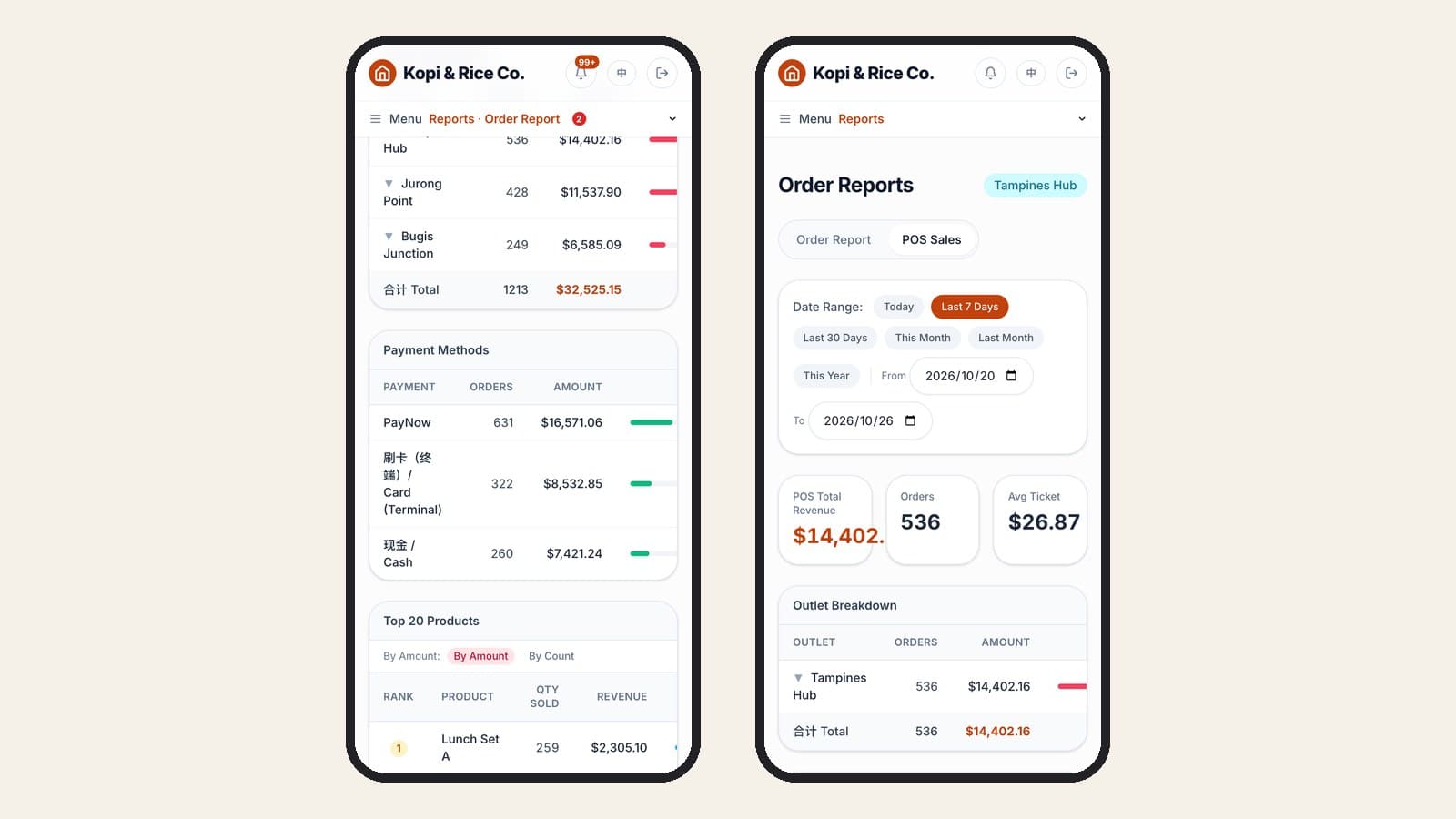
Payments run through YeahPay, including the card terminal, in live Singapore stores. For a wider look at what to check when choosing a POS, see our restaurant POS comparison for Singapore.
What the system will not do is fix the router behind the dry store door or decide your PayNow rule. Steps 1 to 5 above are yours, and they matter as much as the software.
FAQ
Can a cloud POS work without internet?
A cloud POS with an offline mode can keep ringing up new sales and taking cash, saving them on the device and syncing later. Without an offline mode, the till stops when the connection stops. Ask the vendor to show you, by unplugging the network during the demo.
Can I take card payments when the internet is down?
Usually only on a card terminal that has its own connection. The cashier completes the payment on the terminal, then records it on the POS as a card payment. Integrated card readers that are controlled by the POS generally need the internet.
Will offline sales be counted twice when the internet comes back?
They should not be. A well-built POS gives each queued sale a unique key, so the server ignores a repeat. Still, check after any outage that order counts and payment totals match the drawer and the card terminal.
How long can a POS stay offline?
It depends on the system. Sales are held on the device until they sync, so the main risks are the device itself (a reset, a cleared browser, a flat battery) and the time before anyone notices. Treat an outage longer than one service as something to fix that day, not something to live with.
See it on the demo
You can try the MakanCloud POS and reports yourself in the MakanCloud demo. Switch to the Admin role to see the chain-wide payment methods, then to the Store Manager role to see one outlet's report.
Plans and what each includes are on the pricing page. If your outlets lose connection often and you want to talk through a setup, message us on WhatsApp at +65 9782 6954.
Related articles
- Choosing a POS for a hawker or food court stall in SingaporeA hawker stall POS must ring up orders in seconds, take PayNow and cards, keep selling offline and show what sold. What to check before you buy.
- Restaurant Staff Scheduling in Singapore: What to Check Before You Publish a RosterA practical guide to rostering restaurant staff in Singapore after the July 2026 Progressive Wage Model increase: the Employment Act and PWM rules a roster has to respect, a checklist to run before you publish, questions to ask when comparing scheduling software, and how MakanCloud generates and checks a monthly roster.
- QR Ordering Update: Sold-Out Dishes, Waiter Calls and Pickup NumbersMakanCloud's QR ordering now has optional settings for sold-out dishes, English dish details and allergens, per-dish notes, calling a waiter, party size, menu banners, counter pickup numbers, order progress and e-receipts. Everything is off or empty by default. Here is what each one does and where to switch it on.
Curious how MakanCloud would fit your outlets?
14-day free trial, no credit card required — or book a 15-minute demo and we’ll walk through your setup directly.