Choosing a POS for a hawker or food court stall in Singapore
By Alex · Founder, MakanCloud · 26 October 2026
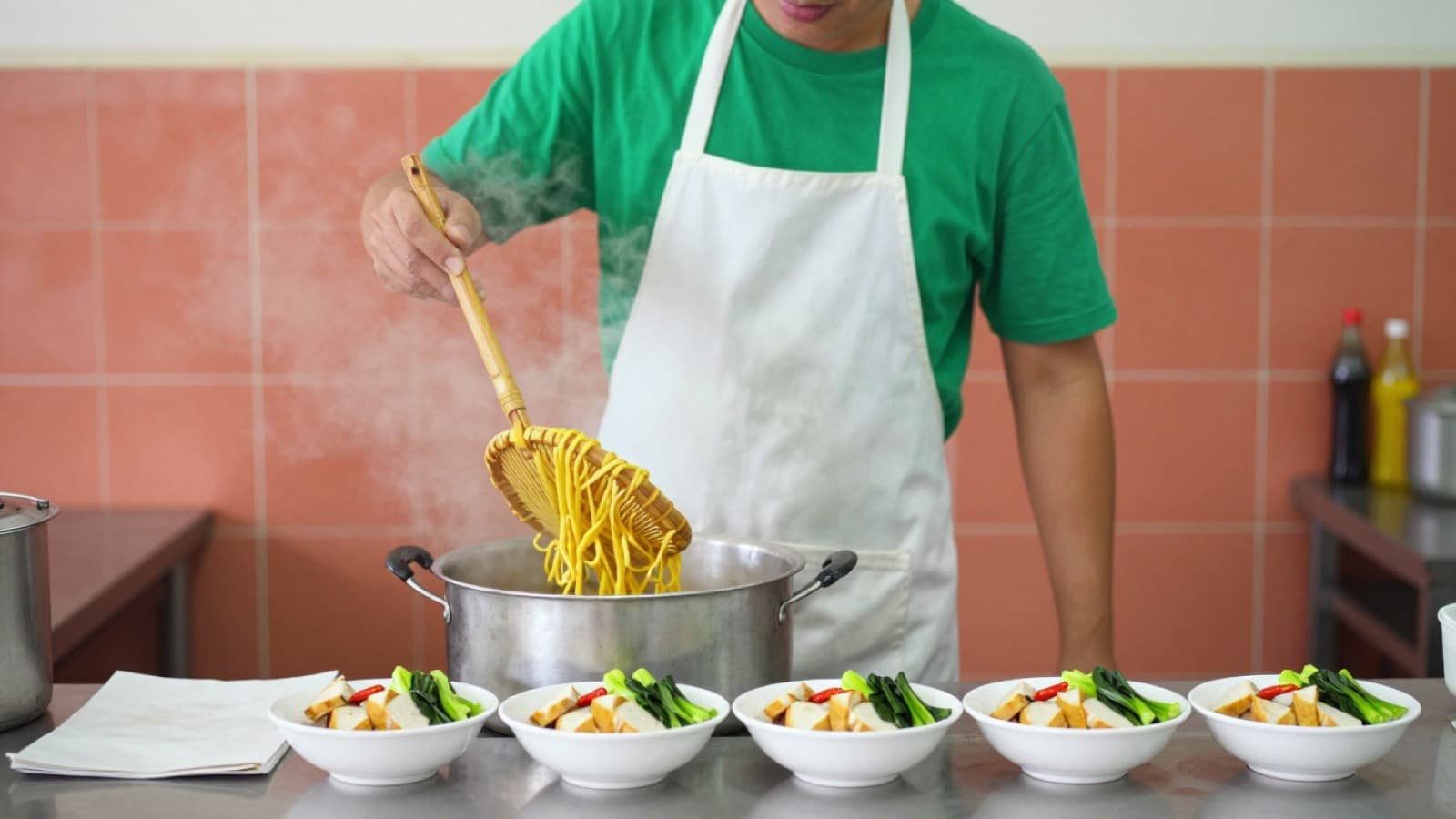
A POS for a hawker or food court stall in Singapore has a short job description: ring up an order in a few seconds during the lunch queue, take PayNow and cards without fuss, keep working when the centre's Wi-Fi or your phone hotspot drops, and tell you at closing what sold and how it was paid. Most stalls do not need table maps, reservations or a long feature list. They need those four things to work every single day.
The trouble is that most POS pages are written for restaurants with tables and waiters. A stall owner reads about floor plans and course timing and has to guess which parts apply. Meanwhile the real problems at a stall are different: one person taking orders and cooking at the same time, a queue that doubles at 12.15pm, customers who want to pay by PayNow, cash in an ice-cream tub, and a dish that sells out at 1pm while people are still ordering it.
This guide is a checklist for that situation. It covers what to test at the counter, what to ask about payments and connectivity, what to look at in the reports, and when it is worth moving to a system built for more than one outlet.
1. Speed at the counter is the whole test
At a stall, the POS is judged in the few seconds between "one char kway teow, less chilli" and the customer tapping their phone. Everything else is secondary.
When you try a system, run this test yourself, standing up, with one hand:
- Order your three best sellers with the usual changes (less chilli, add egg, takeaway). Count the taps. If a common order needs a search box or more than one screen, it will slow your queue.
- Check the menu layout. You should be able to group dishes the way you sell them (noodles, rice, drinks, add-ons) and put the top sellers first. A stall menu is usually short, say a few dozen items at most; it should fit on one or two screens.
- Try a set or combo. If you sell a lunch set, the POS should treat it as one button with fixed choices, not three separate items the cashier has to remember.
- Look at the screen in daylight and with wet fingers. Hawker centres are bright and humid. A small, dim tablet tucked behind a steamer is hard to use at peak.
If two people run the stall, decide who touches the POS. In many stalls the person at the front takes orders and payment while the cook never looks at a screen. In that case the order has to reach the cook clearly, either as a printed ticket or on a simple kitchen screen.
2. Payments: PayNow first, cards second, cash always
Singapore diners at hawker centres pay in every way: PayNow by scanning a QR code, cards and phone wallets on a terminal, and still a good amount of cash. Your POS should record all three against the order, so the end-of-day total adds up without you reconstructing it from bank notifications.
Questions to ask before you sign:
- Is the payment linked to the order? If the customer scans a printed PayNow QR and you check your banking app, the POS does not know they paid. That works for a while, then a busy day produces a mismatch nobody can explain. A dynamic QR generated for the exact order amount, or a card terminal that reports back to the POS, removes the guesswork.
- What does each payment method cost? Ask for the rate per method in writing. Card fees are usually much higher than PayNow fees, so the mix your customers use matters more than the software price. Our QR ordering cost guide works through how much that difference can be in a month.
- How do refunds work? A wrong order paid by card needs a refund on the terminal and a matching record in the POS. Ask the vendor to show you a refund, not just describe it.
3. Queues and collection: numbers beat shouting
A stall with a queue needs a way to match food to the right customer. The usual options:
- Paper chits or a call-out, which works for small volumes.
- A pickup number printed on the receipt or shown on the customer's phone, called out when the food is ready.
- Scan-to-order at the stall: one QR code at the counter that any customer can scan to order and pay on their own phone, then collect when their number is called. This takes order-taking off the front person during the rush, but only works if your menu is clear enough that customers do not need to ask questions.
For example, say a stall sells 150 bowls on a weekday and two thirds of them come between 11.45am and 1.30pm. If half of the lunch customers order on their phones, the front person handles roughly 50 fewer conversations in that window. Whether that is worth it depends on whether your customers are regulars who like to chat, or office workers who want to be in and out.
4. When the Wi-Fi drops
Hawker centre connectivity is not reliable. Many stalls run on a phone hotspot that slows to nothing at lunch. A cloud POS that stops taking orders when the connection goes is a serious problem for a stall, because the queue does not wait.
Ask the vendor exactly what still works offline:
- Can you still ring up orders and take cash?
- Which payment methods stop working? PayNow and card terminals usually need a connection; you need a fallback.
- Where are offline orders stored, and do they sync on their own when the connection returns?
- What happens to the day's report if some orders were taken offline?
Then test it: switch off the Wi-Fi in the middle of a test order and see what the screen tells you.
5. Sold-out items and the end of the day
Two small features save a lot of friction at a stall.
Marking dishes as sold out. When the braised duck runs out at 1pm, you want one tap to stop it being ordered, both at the counter and on any QR menu, and you want it to come back on its own tomorrow morning. Otherwise you spend the afternoon apologising and refunding.
A closing report you actually read. At the end of the day you need four numbers: total sales, number of orders, how much came in by each payment method, and which dishes sold. The payment breakdown is what lets you count the cash tub against the POS cash figure. The dish ranking tells you what to prep more of tomorrow, and which items are not worth the space on the menu.
If you are GST-registered, also check what the receipt prints and how you get monthly sales figures out for your accountant. Many stalls are not registered, but if you are, the receipt rules apply to you the same as to a restaurant.
6. Hardware for a small space
A stall has very little counter space and a lot of heat, oil and steam. Keep the setup small:
- One tablet or small POS terminal at the front, mounted or on a stand away from the wok.
- A card terminal if you take cards; many terminals also handle phone wallets.
- A receipt or ticket printer only if you need tickets for the cook or receipts for customers. Some stalls skip it entirely and use a kitchen screen or just call orders.
- A cash drawer is optional. A lockable drawer helps if more than one person handles cash.
Avoid paying for hardware you will not use. If a package includes a customer display or a second screen you have nowhere to put, ask for it to be removed from the quote.
Where MakanCloud fits, honestly
MakanCloud is built for F&B chains in Singapore, typically 2 to 20 outlets, often with a central kitchen. For a single stall that only needs to ring up sales, a simpler POS may be all you need, and that is a fair choice. Where we fit is the stall owner who already runs two or three stalls, or plans to, and wants sales, menus and payments for all of them in one place. Our guide to opening a second outlet covers what changes when you get there.
What the POS does today, for a stall-style setup:
- Counter mode. The POS can run in Counter mode instead of a table map, so the screen opens straight to the menu for ring-up-and-pay service.
- Payments. PayNow and card terminal payments run through YeahPay in live Singapore stores, alongside cash, and each payment is recorded against its order.
- Pickup point QR. You can set up a pickup point instead of tables. Customers scan the code, order on their phone, and get a pickup number; the order appears on the POS pickup list and on the kitchen display with that number.
- Sold out today. Any dish can be marked "Sold out today", which hides it as unavailable on the cashier menu and the QR menu and restores it automatically at 05:00 the next day.
- Offline mode. If the connection drops, the POS keeps taking orders with cash and manual card payments, and syncs them once you are back online. PayNow and the card reader need a connection.
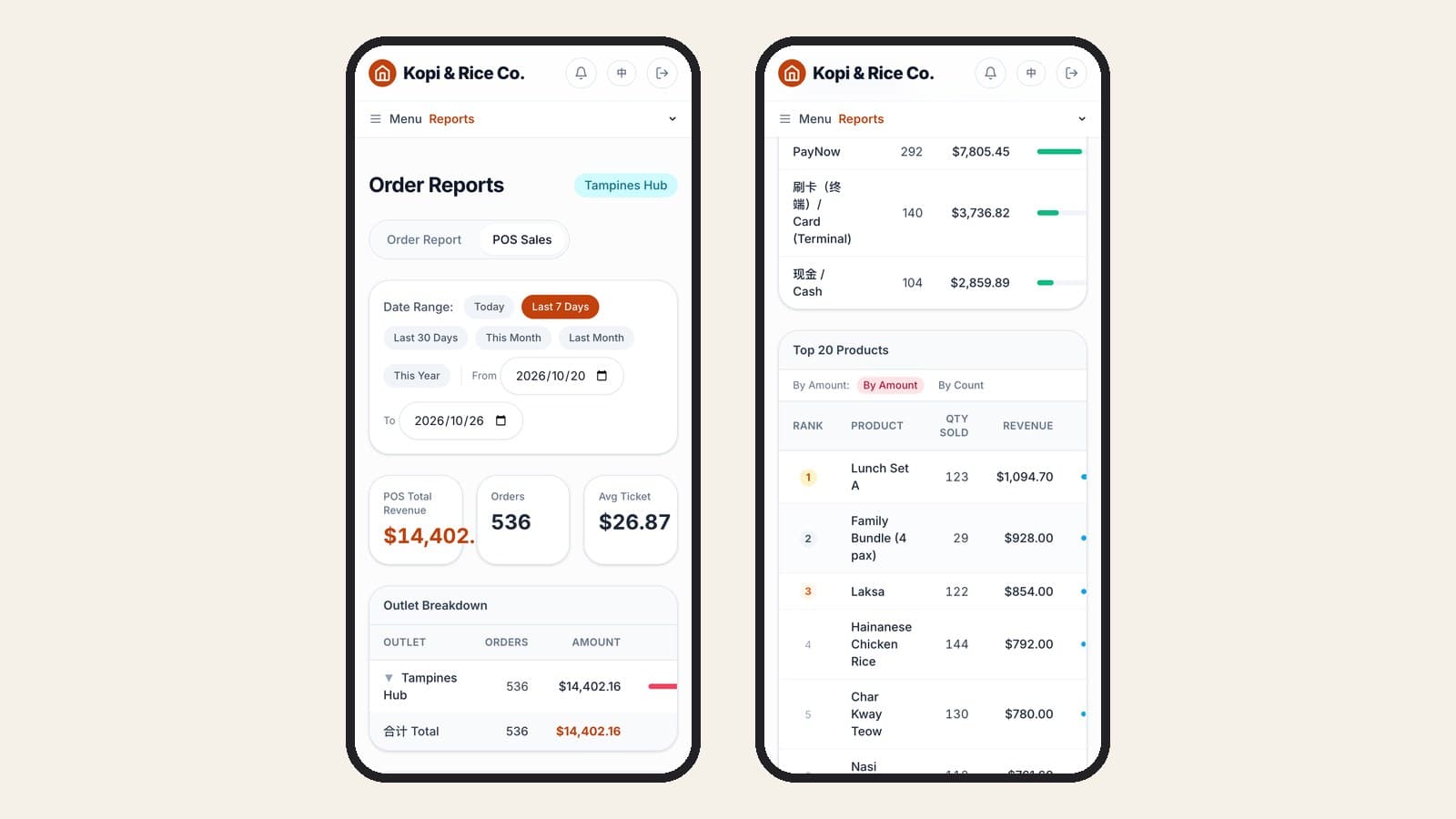
- Reports. The sales report shows revenue, orders and average ticket for any date range, a payment method breakdown and the Top 20 Products, ranked by revenue or by quantity.
- Chinese and English. Staff can switch the POS screen between Chinese and English, and dishes can carry both names.
As checked on 26 October 2026, the Starter plan is S$59 a month for 1 outlet and 2 POS terminals; the pricing page has the full table. We will also set up your menu for you, including free AI dish images for up to 30 dishes on the first menu (illustrative only), and help set up the POS and printer. For a wider view of the market, see our restaurant POS comparison for Singapore.
What we do not have: no GrabFood or foodpanda integration, no self-order kiosk hardware, and no loyalty or stored-value programme yet. If those matter most to your stall, weigh that before you choose.
FAQ
Do I need a POS for a hawker stall at all?
Not always. A stall with one dish, cash and a printed PayNow QR can run without one. A POS starts paying off when you have a longer menu, more than one person handling orders, several payment methods to reconcile, or more than one stall.
Can a POS work on a phone hotspot at a hawker centre?
Yes, if it has a proper offline mode. Check which functions keep working when the connection drops, and test it by switching the Wi-Fi off during a sale.
Should customers order by QR code at a stall?
It helps when the queue is long and the menu is simple. It helps less when customers ask a lot of questions or when your regulars expect to order face to face. You can start with one pickup QR at the counter and see how many customers use it.
What hardware does a hawker stall POS need?
Usually a tablet or small terminal, a card terminal if you take cards, and a printer only if you need kitchen tickets or customer receipts. Keep it small and away from heat and steam.
What should I look at in the daily report?
Total sales, number of orders, the payment method breakdown (to match your cash) and the best-selling dishes (to plan tomorrow's prep).
Try it on the demo
You can click through the reports yourself in the MakanCloud demo. Switch to the Store Manager role and open Reports, then POS Sales, to see a single outlet's day.
If you run more than one stall, or plan to, and want to talk through your setup, message us on WhatsApp at +65 9782 6954.
Related articles
- When the internet goes down at lunch rush: how an offline-capable restaurant POS worksAn offline POS keeps ringing up cash sales and syncs later; PayNow, card readers and kitchen printing may stop. Here is how to prepare your outlet.
- Restaurant Staff Scheduling in Singapore: What to Check Before You Publish a RosterA practical guide to rostering restaurant staff in Singapore after the July 2026 Progressive Wage Model increase: the Employment Act and PWM rules a roster has to respect, a checklist to run before you publish, questions to ask when comparing scheduling software, and how MakanCloud generates and checks a monthly roster.
- QR Ordering Update: Sold-Out Dishes, Waiter Calls and Pickup NumbersMakanCloud's QR ordering now has optional settings for sold-out dishes, English dish details and allergens, per-dish notes, calling a waiter, party size, menu banners, counter pickup numbers, order progress and e-receipts. Everything is off or empty by default. Here is what each one does and where to switch it on.
Curious how MakanCloud would fit your outlets?
14-day free trial, no credit card required — or book a 15-minute demo and we’ll walk through your setup directly.