Bilingual Chinese and English POS for Singapore Restaurants: What to Check
By Alex · Founder, MakanCloud · 26 October 2026
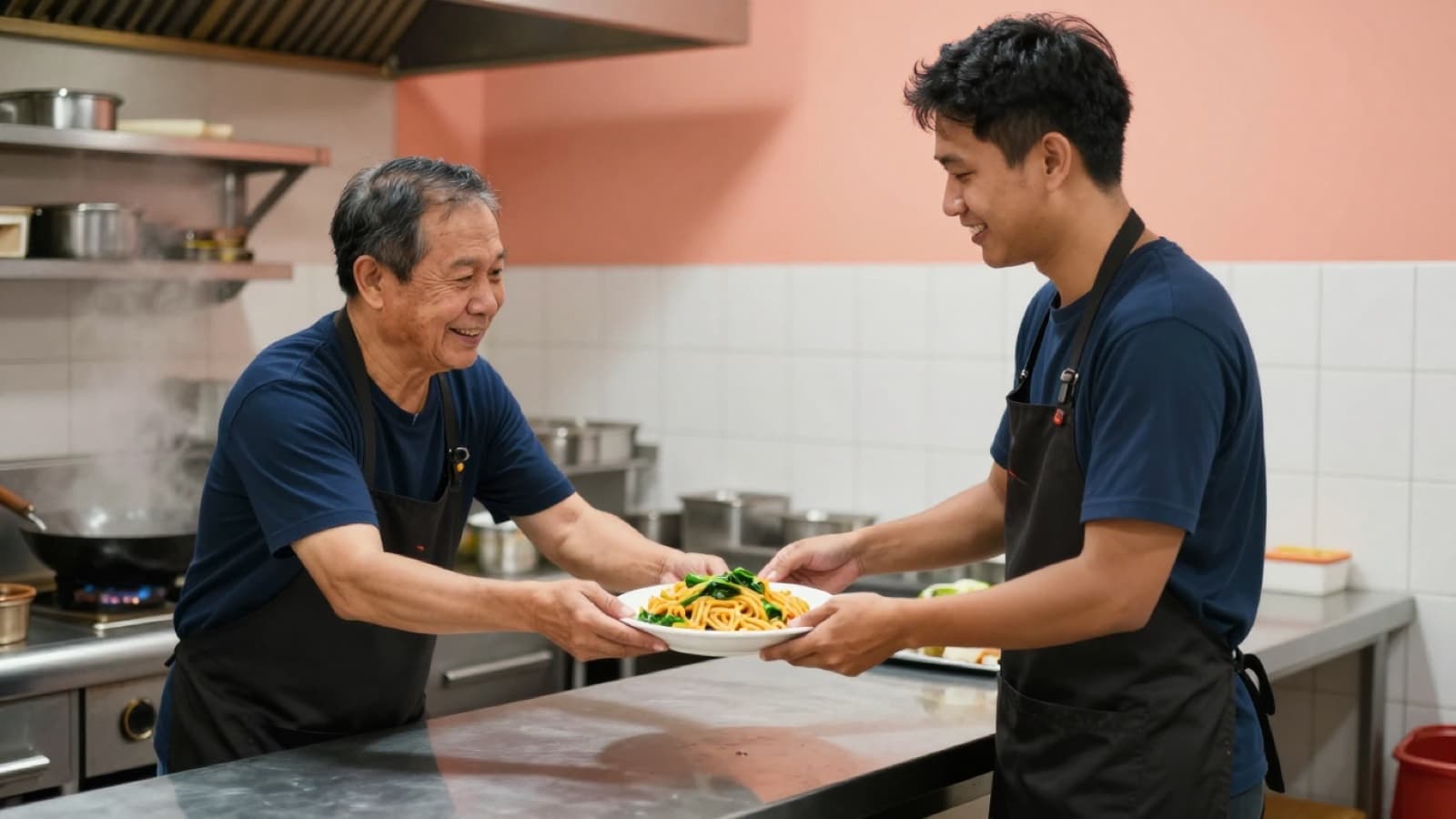
A bilingual Chinese and English POS is one where every person in the restaurant can work in the language they read fastest, without the kitchen and the counter ending up with different names for the same dish. In practice that means three things: each staff member chooses their own screen language, every dish carries a Chinese and an English name, and the kitchen gets one consistent name on its tickets no matter which language the cashier is using.
That matters in Singapore because most restaurant teams are mixed. The cook at the wok may read Chinese comfortably and English slowly. The cashier may be the other way round, or read neither script well and rely on photos. Customers walk in speaking English, Mandarin, Malay or a mix of all three. A system that only offers a language switch in the settings page does not solve much if the dish names, tickets and receipts stay in one language.
Many POS brochures list "multi-language support" as a single tick box. This guide breaks that tick box into the questions you should actually ask, and gives you a short test to run before you sign up for anything.
What "bilingual" should cover
Before comparing systems, list every place in your restaurant where someone reads words from the POS. For most outlets it looks like this:
- Staff screens: the cashier's order screen, the table map, the payment screen and the shift close.
- Dish names: categories, dishes and set meals, plus the options inside a set.
- Customer-facing screens: the QR ordering page on the customer's own phone and any customer display at the counter.
- Kitchen output: printed kitchen tickets and the kitchen display screen, if you have one.
- Receipts: the printed receipt and any e-receipt.
- Back office: reports, menu management, and if you run a central kitchen, the catalogue outlets order from.
A system can be bilingual in some of these places and not others. That is normal. What you want to know is which ones, and whether the gaps fall where your team can live with them.
Check 1: can each person choose their own language?
The most common disappointment is a language setting that applies to the whole outlet. If the cashier switches the terminal to English, the supervisor who prefers Chinese has to switch it back, and the setting flips every shift change.
Ask whether the language follows the person or the device, and how easy it is to change. A toggle on the main screen is better than one buried in settings, because staff will actually use it. Also ask whether the back office has the same switch, since the owner, the operations manager and the accountant may not share a language either.
Check 2: does every dish carry two names?
A translated interface is only half the job. The words that matter most on a busy night are the dish names, and those come from your menu, not from the software vendor.
Look for separate fields for the Chinese name and the English name on dishes, categories and set meals. Then ask two follow-up questions:
- What happens when the English name is blank? A sensible system falls back to the main name instead of showing an empty button. That lets you go live before every translation is done.
- Can you load both names in bulk? Typing a full menu twice by hand is where mistakes creep in. An Excel import with an English name column saves an afternoon and keeps the two lists aligned.
Say your menu has a dish called 干炒牛河. Decide once whether the English name is "Dry-fried beef hor fun" or "Beef hor fun (dry)", and use the same wording on the menu board, the QR page and the delivery packaging. Customers notice when the names do not match.
Check 3: which name does the kitchen see?
This is the question most buyers forget. If the kitchen ticket prints in whatever language the cashier happens to be using, the same dish can arrive in the kitchen as 海南鸡饭 on one ticket and "Hainanese Chicken Rice" on the next. During a lunch rush, that is how dishes get missed or made twice.
What you want is a kitchen ticket that always uses one fixed name, regardless of the cashier's screen language. Ask the vendor directly: "If my cashier works in English, what does my kitchen ticket print?" Then decide which name goes in that fixed slot. For a Chinese-reading kitchen team, that is usually the Chinese name. Some owners put both into the main name, for example "海南鸡饭 Chicken Rice", so that any cook can read it. That is fine as long as the name still fits on one line in large type.
The same applies to the kitchen display screen. Whatever the kitchen reads should not change because someone at the counter changed a setting.
Check 4: can your printer actually print Chinese?
Thermal receipt printers do not all handle Chinese characters. Some print question marks or blank boxes; some need a specific character set switched on. This is a hardware question as much as a software one, so test it with your own printer, not a demo unit.
When you test, use your longest dish names and your messiest special requests. Check that the characters are clear in the large font kitchens need, and that long names wrap cleanly instead of being cut off. If a dish name runs to three lines on the ticket, shorten it in the menu rather than asking the kitchen to squint.
Check 5: what does the customer see?
Customers in Singapore will order in whichever language they are comfortable with, and the QR ordering page is now the first menu many of them read. Check that the customer can switch language on their own phone, that dish names and descriptions follow, and that any promotion text has an English version too. Our QR ordering cost guide covers the rest of what to look for on that page.
Receipts are a separate question. Many receipts mix the two languages: labels such as total and payment in English, dish names as they appear on the menu. If you have specific requirements for tax invoices, confirm them with your accountant rather than relying on a vendor's default layout.
Check 6: does the back office follow?
The owner and managers spend most of their time in reports and menu management, not at the till. If the back office is English-only, a Chinese-speaking operations manager will either struggle or ask someone to export everything to Excel. If it is Chinese-only, your accountant may have the same problem in reverse.
If you run a central kitchen, include the outlet ordering catalogue in this check. A Chinese-reading kitchen team and an English-reading outlet supervisor are often looking at the same product list from opposite ends. Our article on what central kitchen software does explains how that ordering flow usually works.
A short test to run before you buy
You can learn most of this in one sitting with a demo account. For example, a 30-minute test could look like this:
1. Log in as a cashier and switch the screen to English. Ring up three dishes, including a set meal. 2. On a second device, log in as another user and work in Chinese. Confirm the first user's screen did not change. 3. Look at the kitchen ticket or kitchen screen for the order. Note which name appears. 4. Switch the cashier back to Chinese and send the same order. Did the kitchen output change? 5. Open the customer QR page on your own phone and switch its language. 6. Add a new dish with only a Chinese name and see what appears in the English view.
If the vendor cannot show you steps 3 and 4, ask why before going further. For a wider list of what to compare across systems, see our guide to choosing a restaurant POS in Singapore.
How MakanCloud handles Chinese and English
MakanCloud was built for Singapore teams where the kitchen and the counter often read different languages. Here is what the system does today:
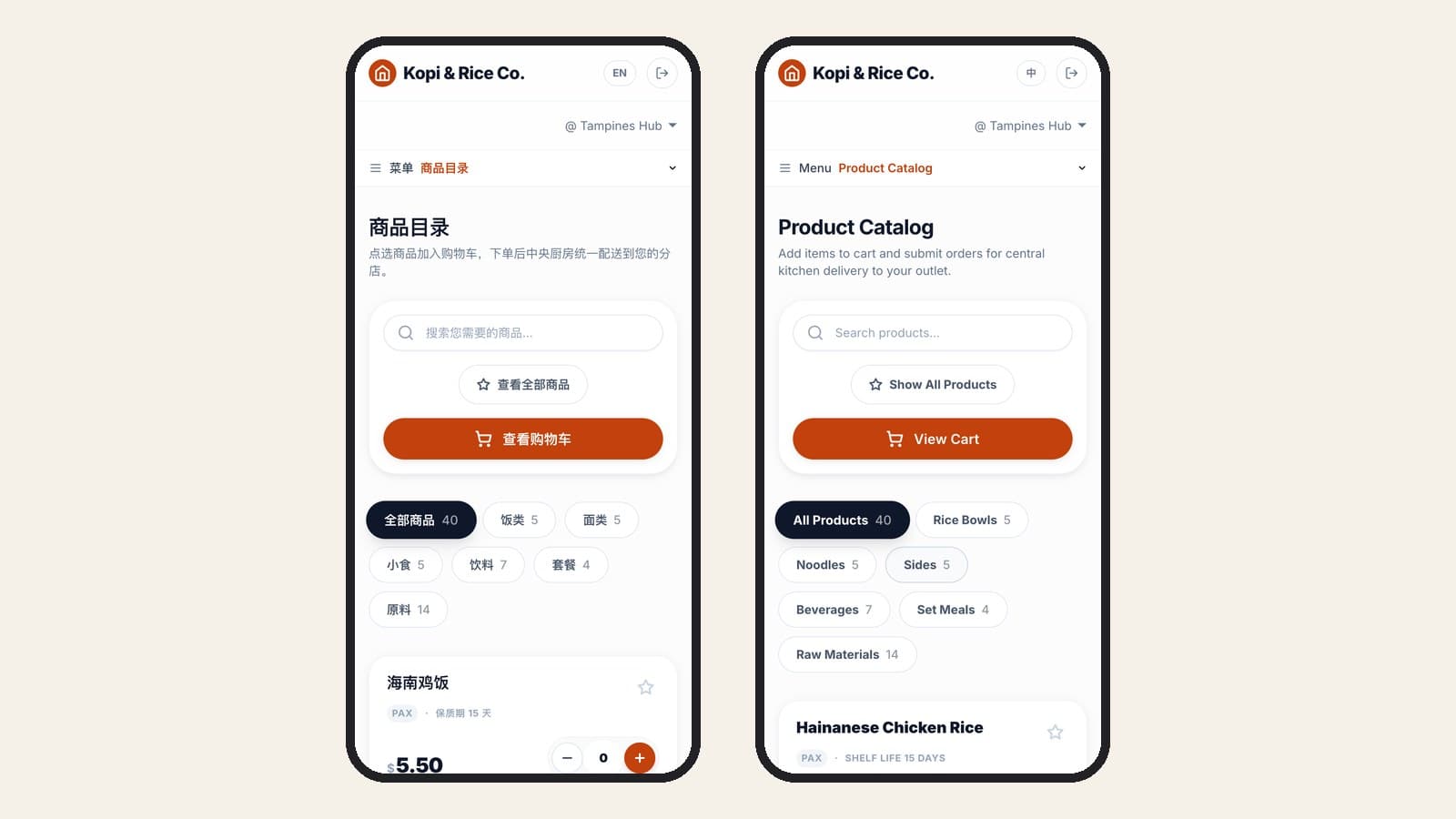
- Each device can run in its own language. Staff switch between 中文 and English with one button on the POS main screen, and from the top bar in the back office. The choice is remembered on that device, so a colleague on another terminal or phone is not affected.
- Dishes, categories and set meals each have an optional English name. The cashier screen, the table menu, the QR ordering page, the customer display and the e-receipt show the English name in English mode and fall back to the main name when the English one is blank. The POS menu Excel import accepts an English name column.
- The kitchen always gets the same name. Kitchen tickets, the printed receipt and the kitchen display use the dish's main name as it was saved when the order was placed, whatever language the cashier is working in. Kitchen ticket headings print in Chinese, in large type.
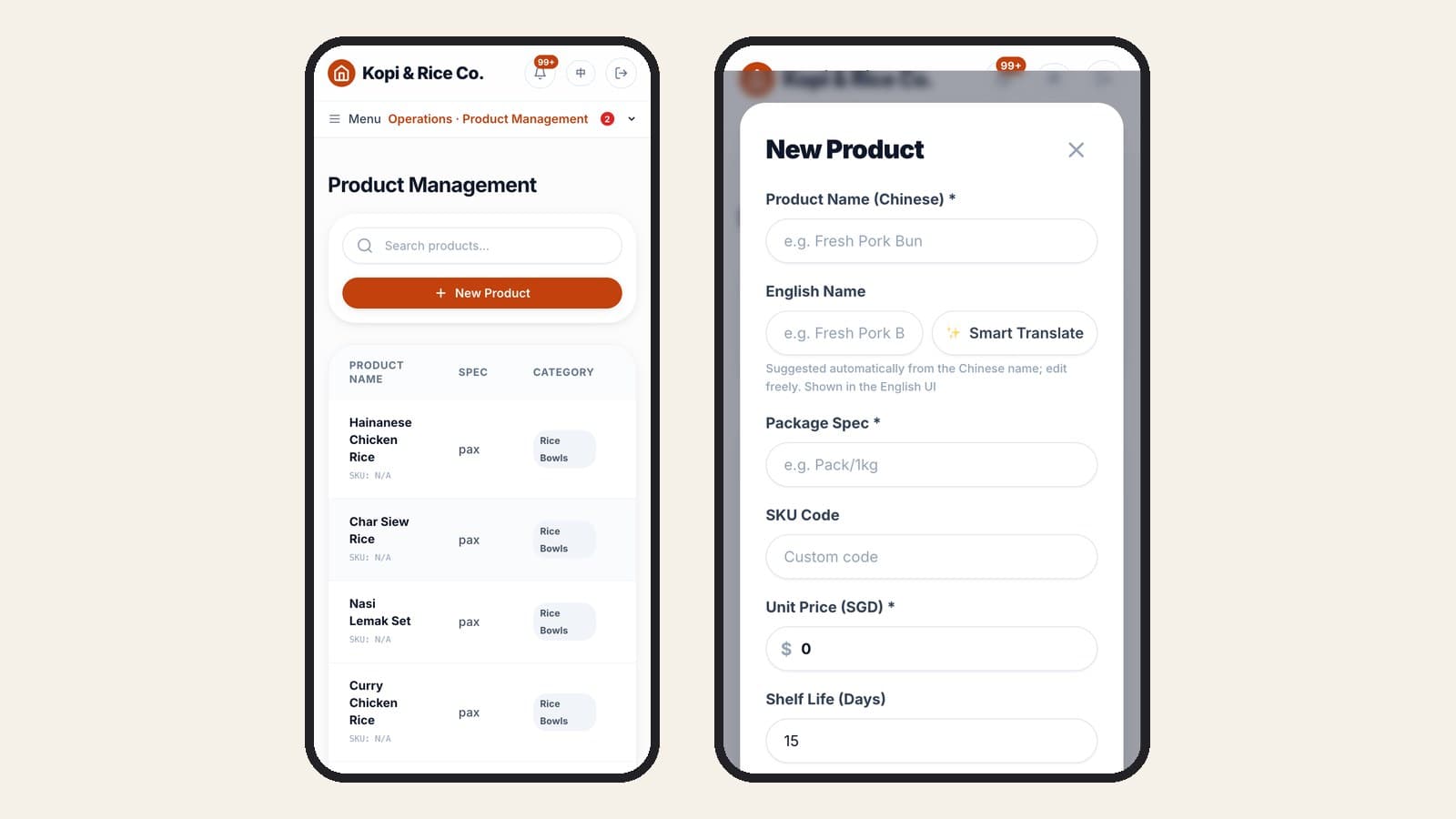
- The central kitchen catalogue is bilingual too. Products that outlets order from the central kitchen have a Chinese name and an English name. The product form has a Smart Translate button that suggests an English name from the Chinese one, which you can then edit.
What the system will not do is decide your naming for you. Which name goes in the main slot for the kitchen, and how each dish is described in English, are choices worth making once and writing down. Our getting started guide walks through loading the menu.
FAQ
Is a bilingual POS the same as a translated POS?
No. A translated POS changes the buttons and labels. A bilingual POS also stores two names for each dish and controls which name each screen and ticket uses, so the kitchen and the counter stay in sync.
Should kitchen tickets be in Chinese or English?
In whichever language your kitchen team reads fastest, and always the same one. The important part is that the ticket does not change language when the cashier does. Some owners print both names in one line so any cook can read it.
Do we need to translate the whole menu before going live?
Not if the system falls back to the main name when the English name is empty. You can launch with the dishes you have translated and fill in the rest over the first few weeks.
Will my existing receipt printer print Chinese characters?
Not always. Test it with your longest dish names in the large kitchen font before go-live. If characters come out as boxes or question marks, check the printer's character set settings with the supplier.
Try it on the demo
You can run the test above yourself in the MakanCloud demo: use the 中 / EN button in the top bar, then switch roles to see the same screens as an admin, a store manager or the kitchen.
Plans and what each includes are on the pricing page. If you want to talk through how your kitchen and counter teams would use it, message us on WhatsApp at +65 9782 6954.
Related articles
- Central kitchen to outlet delivery: planning daily dispatch runs with your own driversHow Singapore chains plan central kitchen deliveries: fixed dispatch runs, kitchen-door checks, driver updates, outlet sign-off and a failed-drop log.
- Choosing a POS for a hawker or food court stall in SingaporeA hawker stall POS must ring up orders in seconds, take PayNow and cards, keep selling offline and show what sold. What to check before you buy.
- When the internet goes down at lunch rush: how an offline-capable restaurant POS worksAn offline POS keeps ringing up cash sales and syncs later; PayNow, card readers and kitchen printing may stop. Here is how to prepare your outlet.
Curious how MakanCloud would fit your outlets?
14-day free trial, no credit card required — or book a 15-minute demo and we’ll walk through your setup directly.