Central kitchen to outlet delivery: planning daily dispatch runs with your own drivers
By Alex · Founder, MakanCloud · 26 October 2026
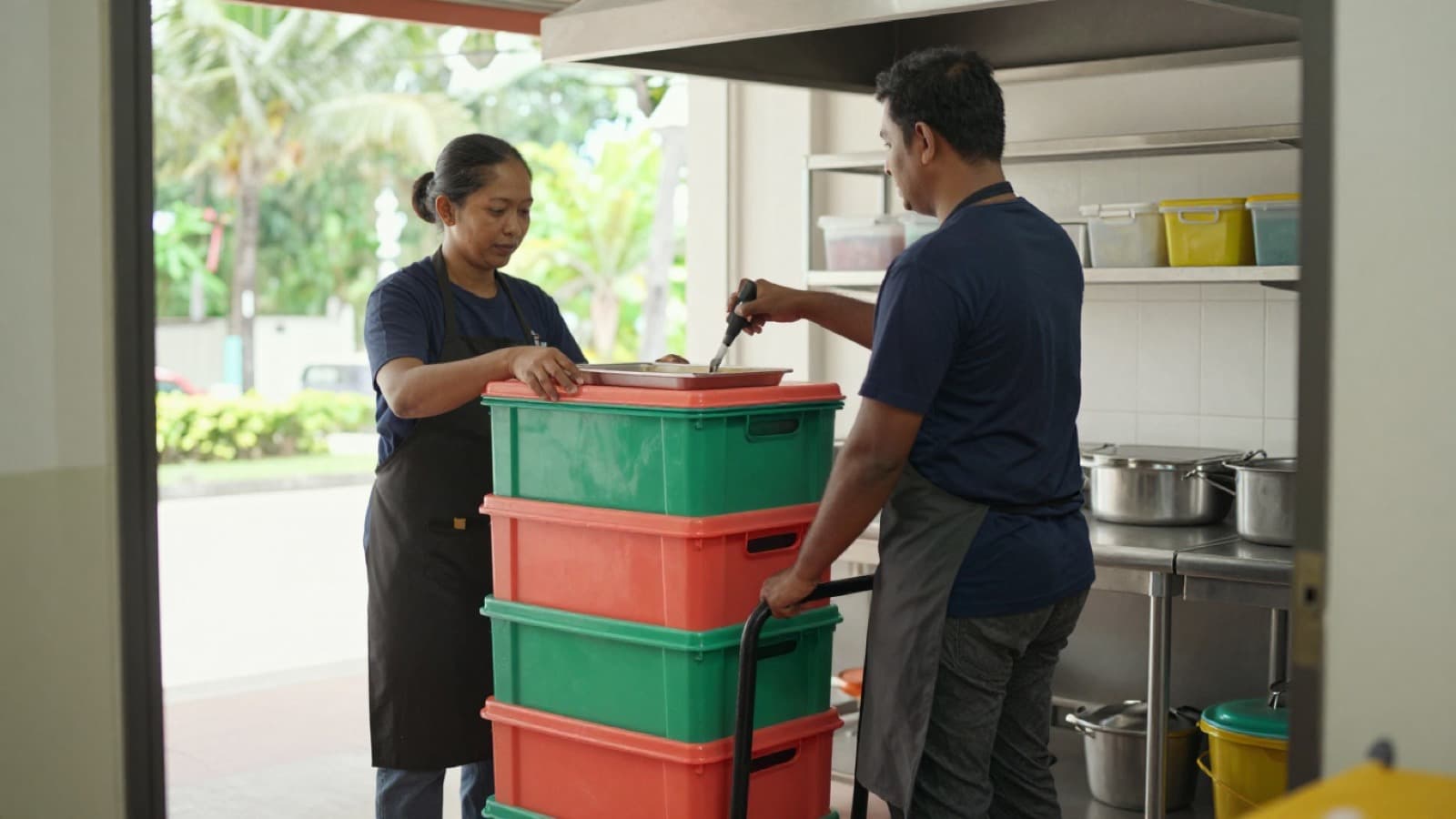
It is half past nine. The outlet manager at your Jurong branch calls the central kitchen: where is today's delivery? The kitchen manager calls the driver, who is stuck on the PIE because he went to Tampines first. Then the outlet manager asks about the carton of char siew that was missing yesterday, and nobody can answer. Who signed for it? Did anyone count? Was it never loaded, or did it go missing on the way?
Many chains run their central kitchen tightly, then stop managing once the goods are in the van. The driver decides the route, the outlet signs without counting, and a failed drop is a phone call nobody writes down. That holds up with two or three outlets. Beyond that, the stretch between kitchen and outlet becomes the daily argument.
This guide covers only that stretch: how to plan dispatch runs, what to check before the van leaves, what the driver should report, how the outlet should sign, how to record a failed delivery, and what to review at month end. It follows on from our guide to outlet ordering cut-offs and par levels and our walkthrough of the daily checkpoints inside a central kitchen.
The four ways outlet deliveries go wrong
For chains that deliver with their own drivers rather than a logistics company, the problems tend to fall into four groups.
Arrival times drift. Ten o'clock one day, noon the next. The outlet cannot plan its morning prep, so the head chef orders a little extra to be safe, and the par levels creep up.
Goods for one outlet end up behind another's. Picking was done by outlet, but loading was done by whoever carried fastest. At the second stop, the first outlet's crates are still at the back of the van.
Sign-off is empty. There is a signature on the delivery note, but nobody counted. Or the person who signed did not know what the order should contain. When something is short, all that is left is suspicion.
Failed drops leave no trace. The outlet closed early, the mall loading bay was full, nobody answered the back door. It happens a few times a month, gets mentioned in WhatsApp, and is impossible to find at month end.
A fixed run sheet, a handover routine and a failure log fix most of this before any software is involved.
Step 1: fix your dispatch runs, do not plan them every morning
The worst dispatch plan is "see how it goes". A run sheet should work like a bus timetable: every outlet knows which van it is on and roughly when it will arrive.
Build it in this order:
1. Start with the latest time each outlet can receive. A lunch-heavy outlet needs its goods before prep starts. A dinner-heavy outlet can wait. That decides who goes first. 2. Group outlets by area. East outlets on one van, west outlets on another. Do not send one van from Tampines to Jurong and back to Bugis. 3. Check the van can hold it. If frozen, chilled and dry goods need separate zones, plan by the space in each zone, not the whole cargo area.
For example, say your central kitchen is near Kallang, with five outlets and two refrigerated vans. The east van serves Tampines and Bedok; the west van serves Jurong, Clementi and Bugis. Lunch outlets need goods before 10 am, so the east van leaves at 8:30 and the west van at 8:15, with the dinner-heavy Bugis outlet as the last stop. Once set, you only revisit the run sheet when an outlet opens, moves, or changes its trading pattern.
Two rules to agree on early:
- Load in reverse order of drops. The last stop goes in first, at the back. The first stop goes in last, by the door. If the sorting area is laid out by van and stop order, the driver simply loads from left to right.
- Late additions do not get their own trip. Anything added after the cut-off goes on the next run, or the outlets transfer between themselves. A special trip for two cartons costs fuel, a driver's time and usually a late arrival somewhere else.
Step 2: a short handover at the kitchen door
Once goods leave the central kitchen, it becomes very hard to say whose problem a shortage is. So the few minutes before the van leaves matter most. Three things should happen there:
- Check quantities against the picking list. Where what is loaded differs from what was ordered, write it down and tell the outlet now, not when they unpack.
- Take temperatures. Probe chilled and frozen goods before loading and record the reading. If it is out of range, the goods do not go out. The dispatch reading is what you will compare against at the outlet.
- Record the van and the driver. Which vehicle, which driver, and the seal number if you seal the cargo door. It sounds fussy until the day a whole crate goes missing and these are the only facts you have.
When the kitchen signs off, the goods are in the driver's hands, and the quantities on that sheet are the reference from then on.
Step 3: the four driver updates that matter
You do not need drivers messaging at every junction. You need four time stamps: picked up, departed, arrived, received.
They do two jobs:
- Outlets know when to expect the van, and can clear chiller space instead of calling to ask.
- Month end shows where time is lost. Late departures point to kitchen loading; on-time departures with late arrivals point to the route; slow sign-off points to receiving at the outlet.
Paper works: one trip sheet per van, with a box for each time. The catch is that nobody sees the sheet until the driver is back, so outlets still have to phone.
Step 4: at the outlet, sign for what was counted
The commonest receiving mistake is signing without counting. The rules should be:
- A named person signs. Usually the outlet manager or head chef on shift, not whoever happens to be near the back door.
- Count against the order, line by line. Anything short, damaged or at the wrong temperature is written on the receipt in front of the driver.
- Probe chilled goods on arrival. The arrival reading next to the dispatch reading tells you whether a problem started on the road or in the kitchen.
- Separate "rejected" from "short". Rejected means it arrived but cannot be used. Short means it never arrived. The causes, and the fixes, are completely different.
If an outlet reports a shortage at month end and the receipt says nothing, that claim is hard to accept. If it is on the receipt, the kitchen should look at its picking and loading.
Step 5: record every failed delivery
Some drops will fail: the outlet closed unexpectedly, the loading bay was blocked, the address was wrong, the van broke down. None of that is a disaster. Not recording it is.
For each failed delivery, record at least three things: which order, why it failed, and what happened to the goods (back to the kitchen, on the next run, or sent to another outlet). Keep the record somewhere everyone can see, not in a private chat between the driver and one outlet manager.
For example, say one outlet's Tuesday delivery fails two weeks running because the mall loading bay is closed in that slot. With a record, you see that the fix is a different delivery time, not another talk with the driver.
Step 6: three numbers to review each month
Once a month, spend half an hour on the delivery records and look at three things:
- On-time rate: how often each outlet received its goods inside the agreed window.
- Receiving issues: how many short, damaged or rejected lines each outlet reported, and on which products and which van.
- Failed drops and their reasons: outlet, route, or vehicle and driver.
Each number points to a person: the vans, the picking team and outlet, or whoever plans the runs. That works far better than a message asking everyone to "be more careful".
How MakanCloud handles central kitchen delivery
In MakanCloud's central kitchen module, delivery follows straight on from dispatch. Here is what the system does today:
- The outbound order holds the kitchen-door checks. It runs from Start Loading, to a recorded temperature check (an out-of-range reading stops the order going further), to dispatch with the licence plate, driver and seal number, and finally the outlet handover. Each step is recorded.
- Delivery tasks come from the outbound order. Creating a task from an outbound order fills in the outlet; the kitchen adds the planned date, estimated duration and notes. A task can also be created on its own.
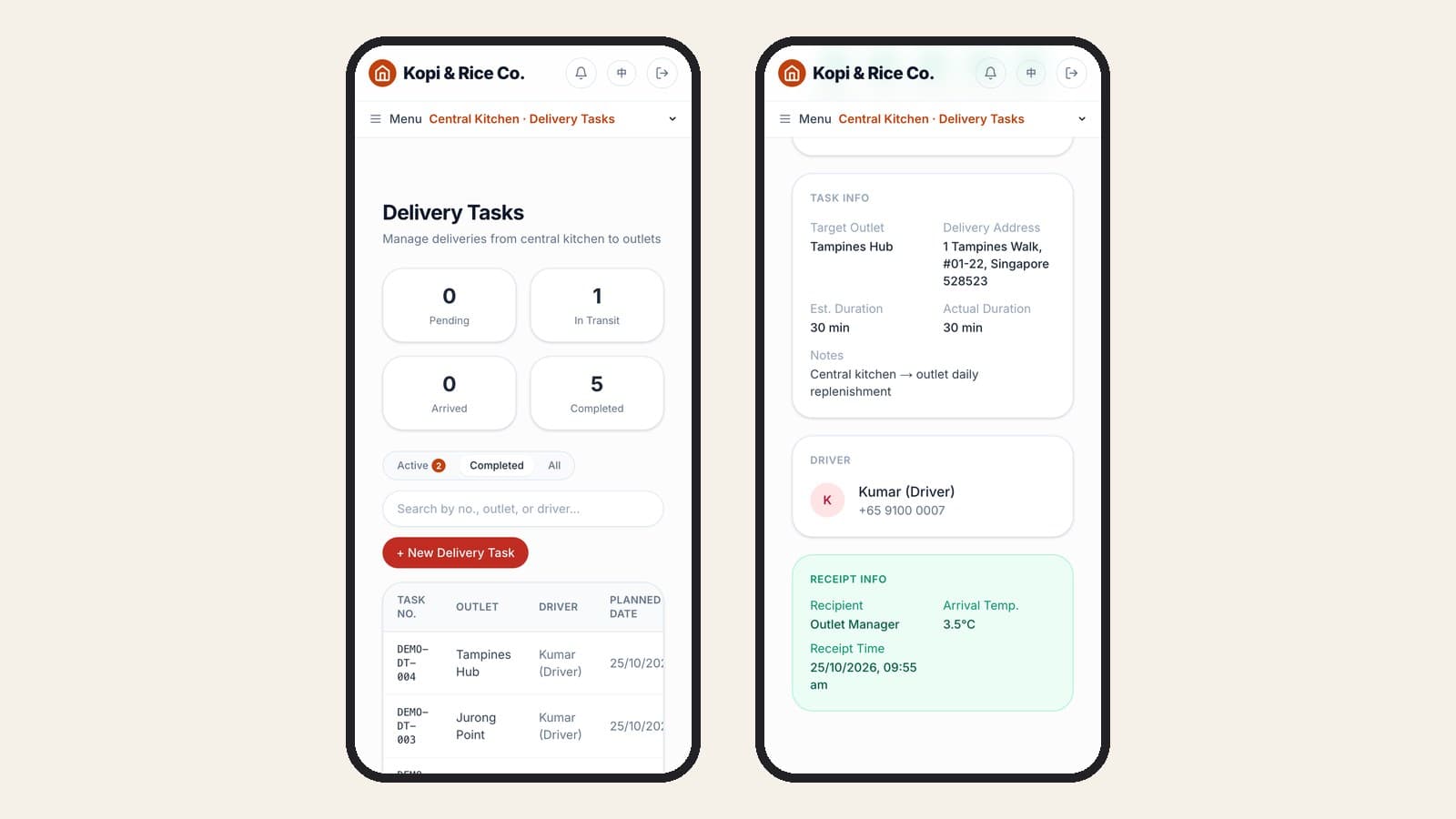
- A delivery board. The day's tasks sit in four columns, Unassigned, In Progress, Completed and Failed/Cancelled, and the kitchen manager can assign a driver straight from the board.
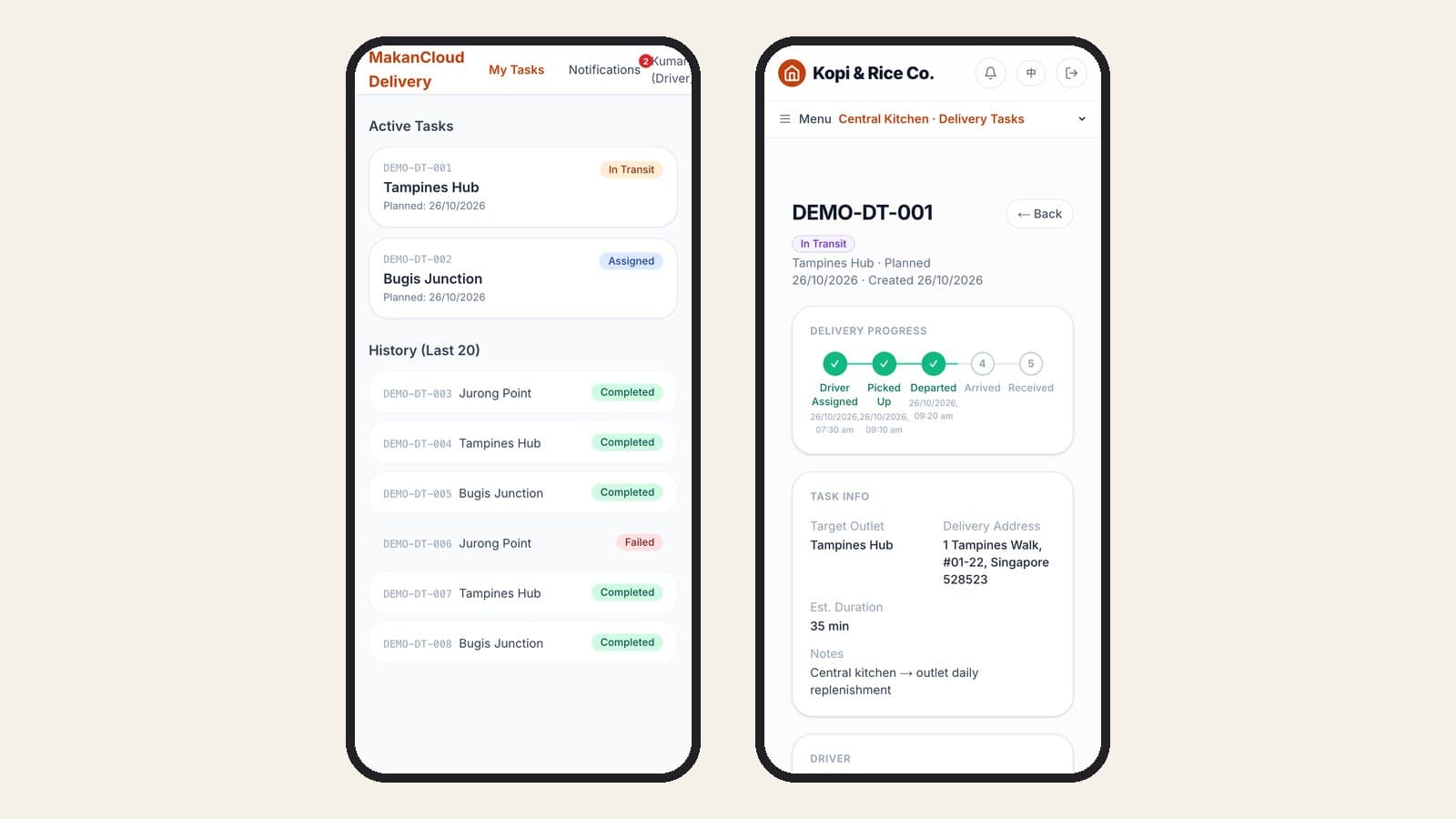
- Drivers move the task forward on their phone. A driver logs in to see active tasks and history, with the outlet address and phone number. When a task is linked to an outbound order, the cargo list is shown, with items short at picking flagged. Three buttons, Confirm Pickup, Depart for Delivery and Arrived at Outlet, record each time automatically, and drivers are notified when a new task is assigned.
- Receipt records who signed and the arrival temperature. Confirming receipt captures the recipient's name, the arrival temperature and notes. The system works out the actual duration, and the outlet's in-transit orders are marked Delivered. If a drop fails, the task is marked failed and a reason is required.
- Outlets receive line by line. On the outlet's receiving screen, staff enter expected and actual quantities and mark each line accepted, short, damaged or rejected, with arrival temperature and issue notes.
To be clear about what it does not do: it does not plan routes or build your run sheet, it does not track vans live on a map, and receipt is a named recipient with notes, not a handwritten e-signature. You still plan the runs and stop order as described above. What the system removes is the "has it arrived yet?" calls, the hunt through WhatsApp for who signed yesterday, and the month-end job of piecing the records together.
Our Tin Lok Xian case study shows how one customer runs this with 13 outlets plus 1 central kitchen, ordering, picking and signing for deliveries in the same system.
FAQ
How many outlets before it is worth running our own vans?
There is no fixed number. It depends on how far apart the outlets are and how much goes out each day. A few outlets in the same area can often share one van on one run. Outlets spread across east and west, or a mix of frozen, chilled and dry goods, is when separate runs start to make sense. A month of real delivery records will tell you more than a guess.
Does the outlet manager have to sign?
Not necessarily the manager, but someone named in advance who knows what the order should contain. The worst arrangement is whoever is at the back door. Many chains name two receivers per outlet and put receiving into the roster.
If the driver signed at dispatch and goods go missing on the road, whose fault is it?
That is exactly why the kitchen-door check and the seal matter. If quantities were agreed at handover, the seal is intact at the outlet and goods are still short, look at picking. If the seal is broken, look at the journey. Agree the rule before there is a dispute, so it does not become three parties blaming each other.
Can we do this on paper?
Yes. A run sheet, a trip sheet, a receiving sheet and a failure log will manage this stretch. As outlets grow, paper is only seen when the driver returns and someone has to copy it up at month end. By then you know exactly what a system needs to record.
Try it on the demo
You can see this yourself in the MakanCloud demo: switch to the Driver role to see the task list and status buttons on a phone, then to the Kitchen Manager role to open the delivery tasks and the delivery board. Our demo walkthrough has the full tour.
Plans and what each includes are on the pricing page. If you would like to talk through how your runs work today, message us on WhatsApp at +65 9782 6954.
Related articles
- How to Open a Second Restaurant Outlet in Singapore: The Operating SideA practical checklist for Singapore F&B owners opening a second outlet: what to write down before you leave the first one, how to keep dishes the same, who runs which outlet, how stock moves between them, and how to read two outlets' numbers side by side.
- How Outlets Order from a Central Kitchen: Cut-off Times, Par Levels and ReceivingA practical guide for Singapore restaurant chains: how to set an ordering cut-off that works backwards from production, how to calculate par levels per outlet, how to receive against the order, and the month-end review that keeps it honest.
- Central Kitchen Software: What Actually Runs a Commissary (Singapore, 2026)Search "central kitchen Singapore" and you get factory units for rent. Here is what happens inside one — the seven daily checkpoints, which two get skipped, and when software starts to matter.
Curious how MakanCloud would fit your outlets?
14-day free trial, no credit card required — or book a 15-minute demo and we’ll walk through your setup directly.